Hey there 👋 I’m Remon STS — the slightly sleep-deprived human who wrote this. (Yes, I’m still in sweatpants.)
This post was last updated on January 22, 2026 — because nobody likes stale advice (or stale coffee).
Psst… this post may contain affiliate links. If you click and buy, I might earn enough to replace my 3-year-old socks… or finally fix that weird noise my laptop makes. Either way — thanks for keeping this weird little blog alive! 💛
✨ Quick Note: Everything you read here is built using a handpicked set of tools I actually use to make money online.
If you’ve ever wondered “What’s in his stack?” — I’ve shared it all in one place. 👉 See my best picks
If you’re serious about making money online—without burning out or wasting hours on repetitive tasks—you’ve got to leverage the right tools. And guess what? I’ve spent weeks testing hundreds of AI tools so you don’t have to.
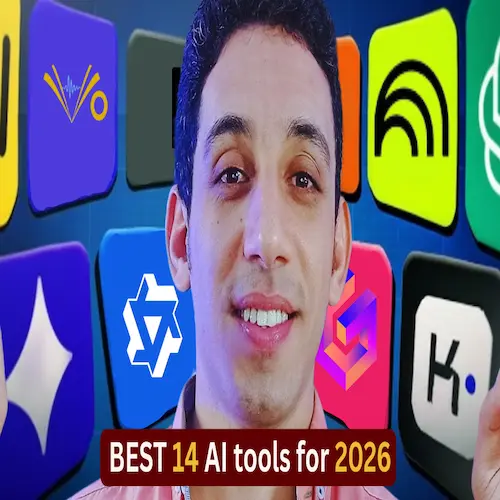
Today, I’m sharing the 14 best free AI tools that are absolute game-changers for creators, digital product sellers, YouTubers, and anyone building an online business in 2026. These aren’t just flashy gimmicks—they’re practical, powerful, and 100% free to start with. Let’s dive in!
Table of Contents
Your digital products deserve real buyers — discover Digiplaybook and start getting consistent sales without guesswork.
Yes, you read that right—it’s a Google-powered gem. This tool lets you feed it up to 50 sources—Google Drive folders, YouTube videos, web articles, or plain text—and instantly transforms them into podcasts, mind maps, quizzes, infographics, slide decks, reports, flashcards, and more.
Perfect if you’re creating digital products, YouTube scripts, or educational content. I’ve used it to turn a single blog post into a full mini-course—no exaggeration.
💡 Pro Tip: Check my video (linked below) for 8 ways to monetize NotebookLM alone!
2. Gamma.app – AI-Powered Presentations & Digital Products
Need stunning slides or a sleek digital guide? Gamma turns any topic—text, webpage, or audio—into a beautiful, interactive presentation in seconds. Add your own CTAs, images, and branding, then export as PDF, PowerPoint, or even a live web page.
It’s like Canva meets ChatGPT—but smarter. And yes, completely free.
Stop typing. Start speaking. WhisperFlow converts your voice notes into well-formatted, ready-to-publish articles—perfect for blog posts, social captions, or email drafts. It’s not just speech-to-text; it’s speech-to-polished-content.
Alternative? SpeechNotes.co works, but lacks formatting finesse. WhisperFlow wins.
Love podcasts but short on time? Snubbed lets you listen, take AI-generated notes, extract key insights, and even chat with podcast episodes like you would with ChatGPT. Imagine asking, “What were the 3 main tips from this episode?”—and getting an instant answer.
Ideal for learning from top creators without replaying 2-hour episodes.
I use Qwen every single day. Why? It’s fast, accurate, and packed with multimodal tools: write blogs, generate images, edit photos, even create short videos. It’s my go-to for ideation, content creation, and quick research.
Beyond chat, Grok’s “Imagine” feature generates jaw-dropping images from text prompts. But here’s the kicker: you can animate those images into short videos—for free. Perfect for social hooks, ads, or YouTube thumbnails.
Use Gemini’s NanoPanana image model to create professional mockups for print-on-demand, eBooks, or course covers—zero cost. Upload a product idea, and get photorealistic visuals in seconds.
9.TurboScribe – Turn Any Audio into a Clean Script
Got a podcast, webinar, or YouTube video? TripleScript transcribes it accurately in Arabic, Spanish, Hindi, Portuguese, and more—with 3 free transcriptions daily. Supports links from YouTube, Drive, Vimeo, and Facebook.
Just paste the link, pick your language, and hit “Transcribe.” Done.
Convert PDFs, webpages, or articles into natural-sounding audio. Great for consuming content while cooking, commuting, or working out. No signup. No paywall. Just pure, free audio conversion.
Want a voiceover that sounds human? ElevenLabs delivers lifelike narration, sound effects, and even voice cloning in 10 seconds. Use it for YouTube intros, course narrations, or audiobooks. Their free tier is generous enough for most creators.
Paste any article or URL, and Napkin generates a clear, visual diagram of its core ideas. Skip the 2,000-word read—get the essence in 10 seconds. Perfect for research or content repurposing.
Ask anything. Get cited, accurate, up-to-date answers—not generic AI babble. Pair it with Qwen (as I showed in a past video) to build digital products in minutes: eBooks, courses, cheat sheets.
It’s the secret weapon of smart creators.
Final Thoughts
These 14 tools aren’t just “cool tech”—they’re leverage points. Each one saves you hours, boosts quality, and opens new income streams. And the best part? All are free to start.
I’ve personally used every single one to grow my channels, build digital products, and automate my workflow—without burnout.
Hey! 👋 If this post saved you time, stress, or another “I give up” moment…
Do me a tiny favor? Share it with one friend who’s also grinding to make extra cash — but hates “guru” nonsense.
I don’t do fake scarcity, pop-ups, or “DM me for the secret.” Just real, messy, human advice.
When you share, you keep this blog alive… and help me afford more coffee (and fewer 3 a.m. panic sessions).